Free Calculator for PC-Based Windows Systems

As opposed to employing an online calculator when performing equations, why not access one from directly within the system? Super Calculator for Windows 10 offers a host of basic functions as well as advanced options.

Top Recommended Alternative

Primary Features and Options

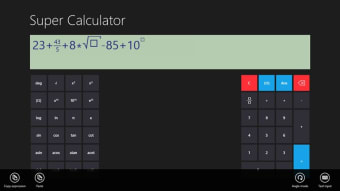
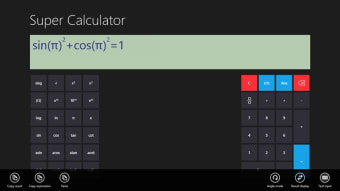
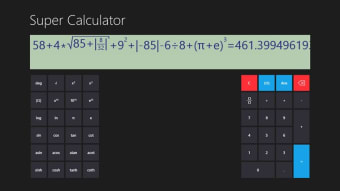
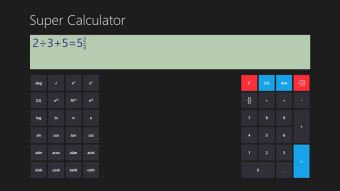
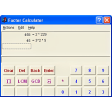
Super Calculator for Windows 10 is unique in the fact that its graphical display is able to illustrate complex functions such as those associated with trigonometry. This is not often possible with standard variants. All keys are clearly marked and the window can be enlarged to fit the entire screen if necessary. This calculator is a great option for students, engineers, programmers and anyone who has been looking for a fast and easy way to perform advanced mathematical tasks.

A Flexible and User-Friendly System

Super Calculator for Windows 10 supports keyboards, mouses and even touchscreen devices. While data can be manually entered, it is also possible to copy and paste information into the display in order to compute the desired result. Depending upon the needs of the end user, the data can be displayed in three different formats. The bundle only requires 271 kilobytes of memory space.


  • Pros

    • Super Calculators for Windows 10 can also work with Windows 8.1
    • Users will not have to pay to download this program.
  • Cons

    • There are times when in-app advertisements will be displayed.
    • The lack of a "simple" mode may confuse some users.
 0/4

App specs

  • License

    Free

  • Latest update

  • Platform

    Windows

  • OS

    Windows 8

  • Language

    English

  • Downloads

    79K

    Last month's downloads

    • 10
  • Developer

Program available in other languages


User reviews about Super Calculator for Windows 10

Have you tried Super Calculator for Windows 10? Be the first to leave your opinion!

Add review

You may also like

Alternatives to Super Calculator for Windows 10

Explore Apps

Latest articles

Laws concerning the use of this software vary from country to country. We do not encourage or condone the use of this program if it is in violation of these laws.
Softonic

Is Super Calculator for Windows 10 safe?

Score result: Clean

This file passed a comprehensive security scan using VirusTotal technology. It is safe to download.

  • Virus free
  • Spyware free
  • Malware free
  • Verified by Security Partners

    VirusTotal logo

Scan Info

Last scan
Wednesday, December 2, 2020
Scan provider
VirusTotal

Softonic security commitment

Super Calculator for Windows 10 has been thoroughly scanned by our advanced security systems and verified by industry-leading partners. This file comes from the official developer and has passed all our security checks, showing no signs of viruses, malware, or spyware. For more information, visit our Security and Trust Center